




Spotify has emerged as a titan of the music streaming industry, with over 271 million monthly active users, in which 124 million of these are paid subscribers and others are using the free, ad-supported service. The Swedish firm is competition with similarly priced Apple Music, Amazon Prime Music, and more.
In an attempt to pull more people to the service, Spotify launched few plans and also discounted subscriptions. But if this still isn’t enough to keep you on the site, and you’re looking at how to delete Spotify account, in this article you will find how to.
???? JOIN OUR TELEGRAM COMMUNITY
How To Delete Spotify Account
Before we get started with how to delete the Spotify account, you must know the repercussions of deleting the Spotify account. Here’s a glance down of things you will delete along with Spotify account;
- If you close your account, you won’t be able to use your current username with Spotify again; however, you can create a new account with the same email address.
- If you delete your Spotify account, you won’t be able to access your playlists and followers anymore. In addition to that, you will lose all the music you have saved to your library.
- If you’re signed up for Spotify Premium with a student discount, you’ll have to wait a full year until you can apply for that discount again.
ALSO READ: Here’s How To Make Your Spotify Session Private; No Mock On Music Taste!
That out of the way, let’s begin the process of deleting the Spotify account. Do note, you can delete your Spotify account — but you can only do so on the internet browser, not through the app.
- Head over to the Spotify Support page and sign in to your account if you haven’t.

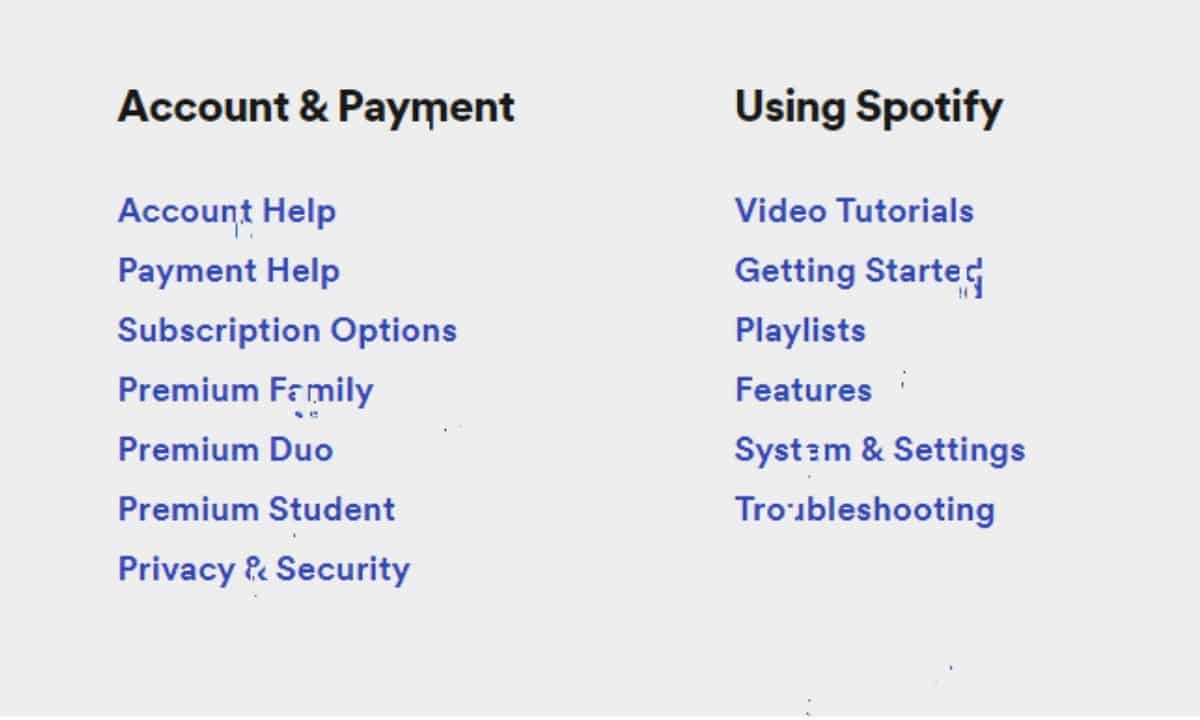
2. In the Accounts and Payment section, click on Account Help.
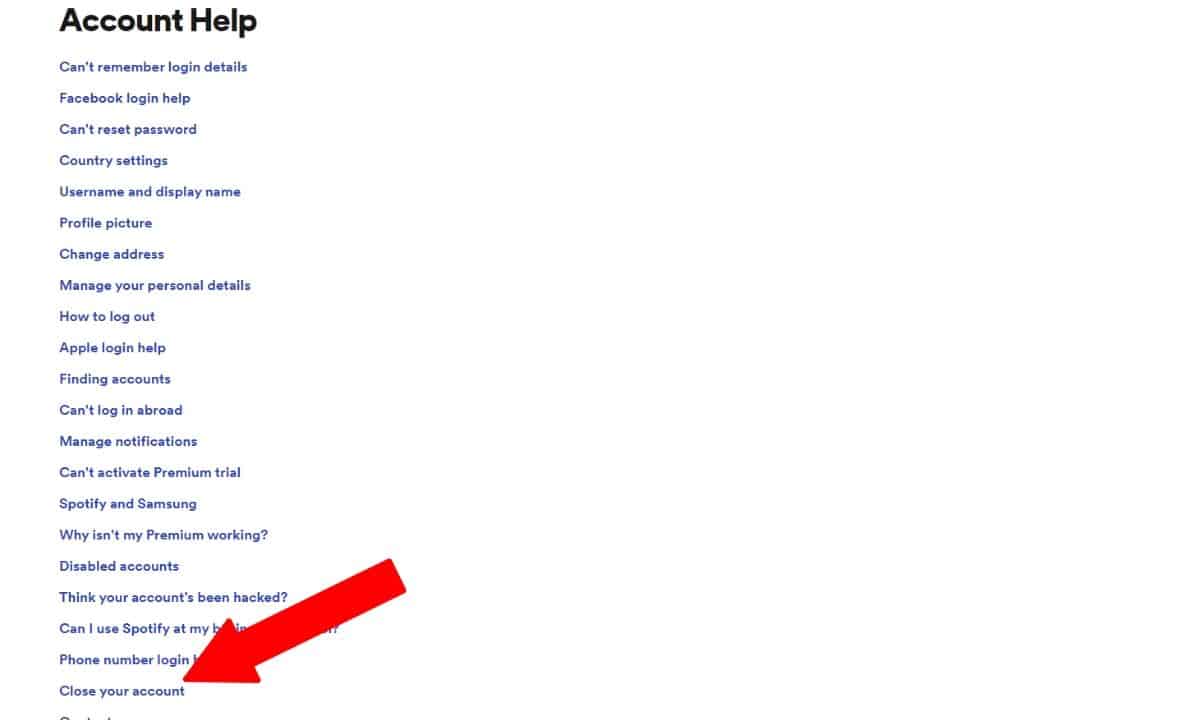
3. On the new page that opens up, scroll down to find the “Close your Account” option just above Contact Us.
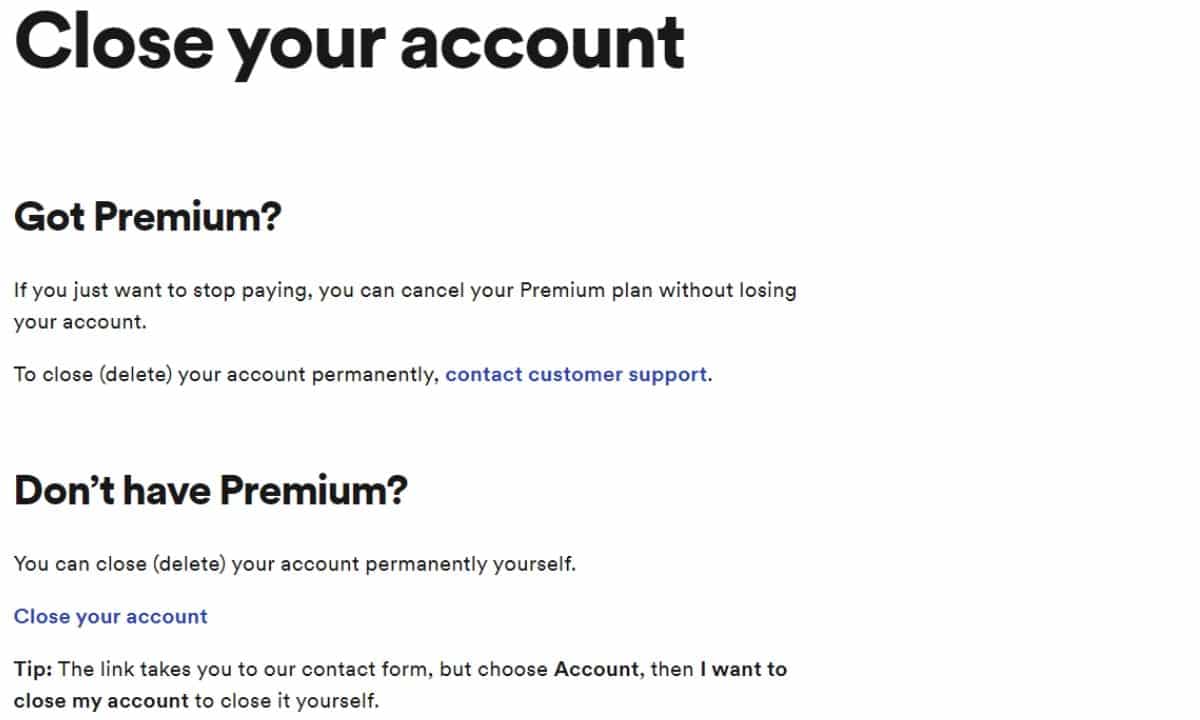
4. Whether you have a premium account or not, click on Contact Customer Support.
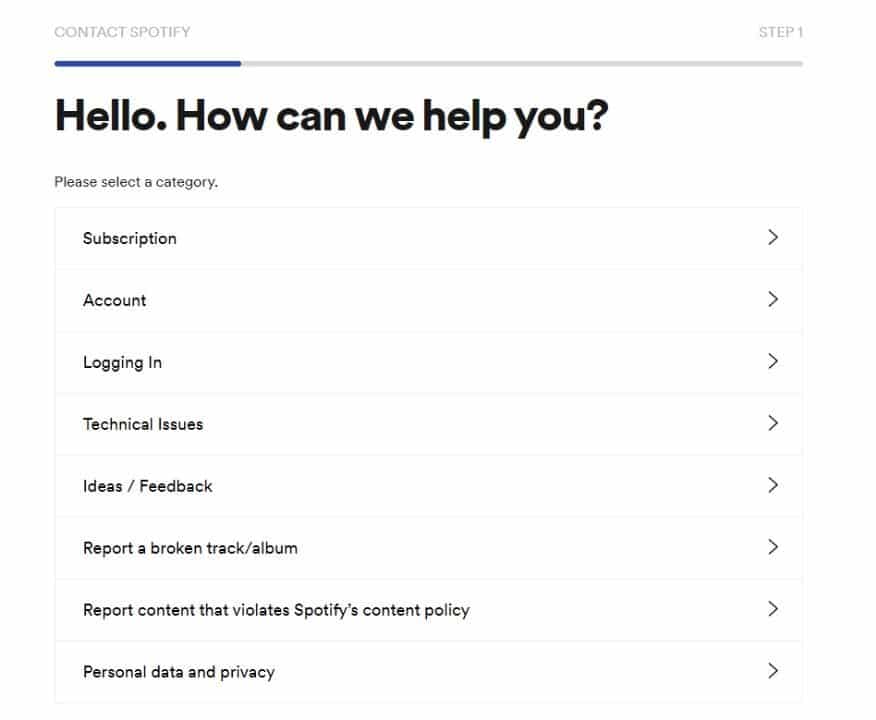
5. Click on Account.
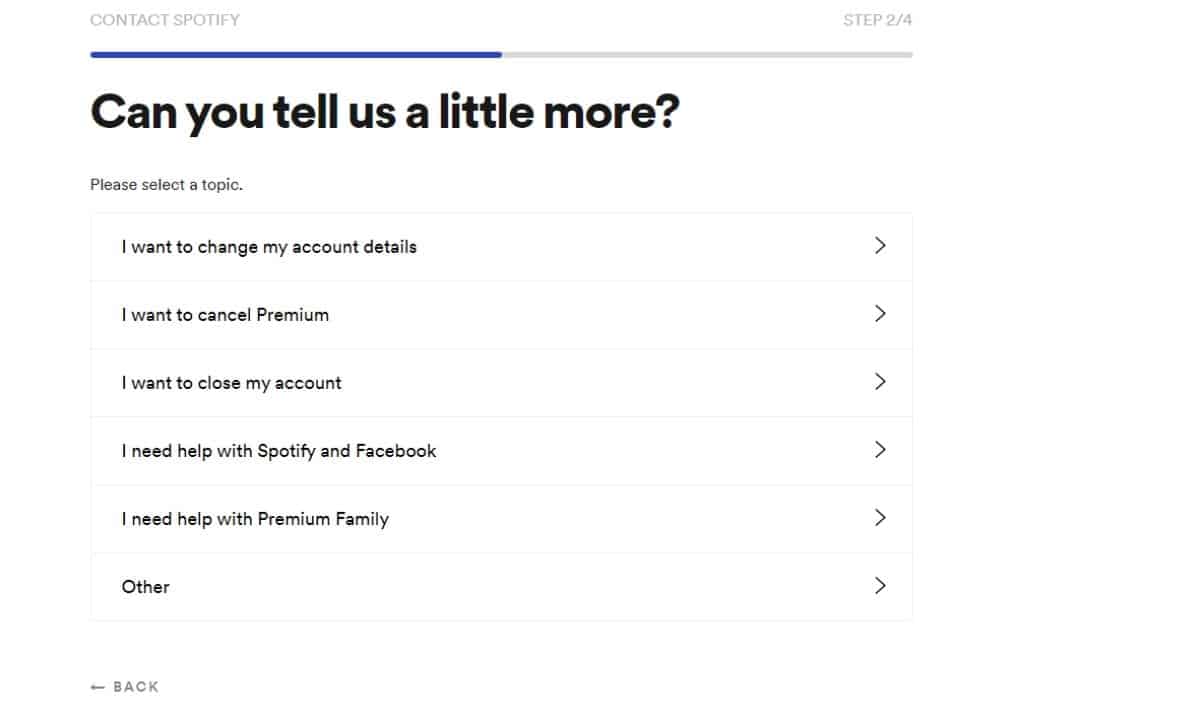
6. Then click on I want to close my account.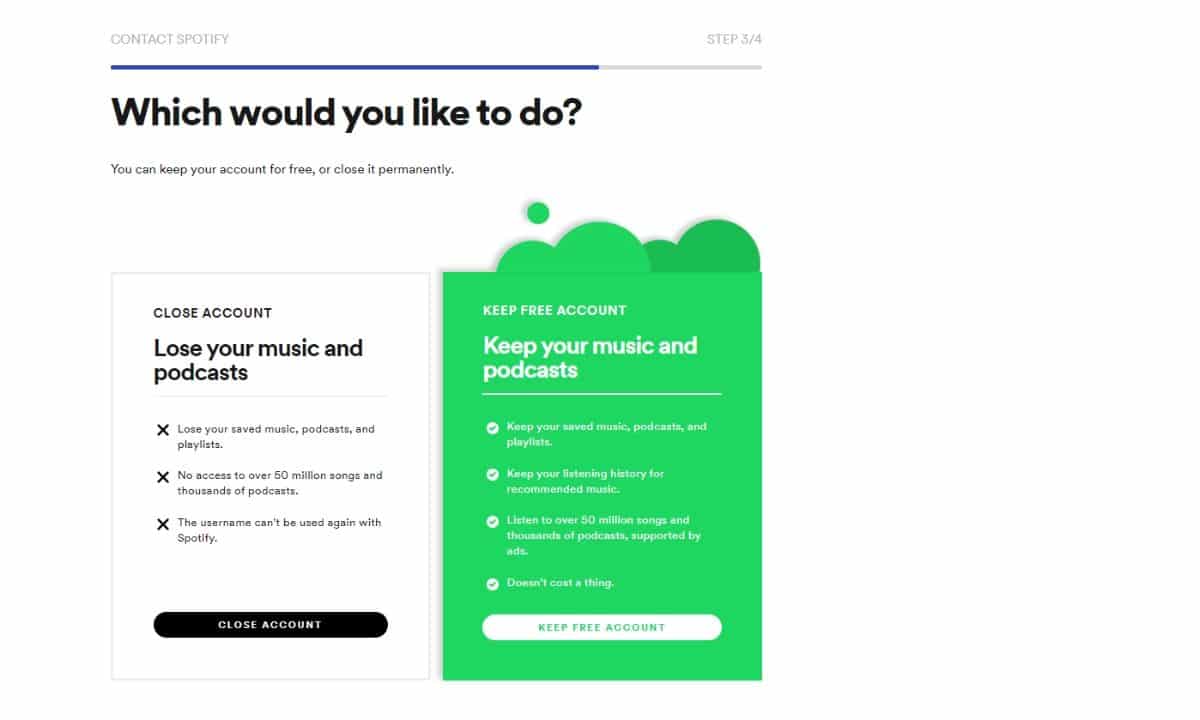
7. Select Close Account from the two cards displayed on your screen. Mind you this will delete everything from your playlists to liked songs.
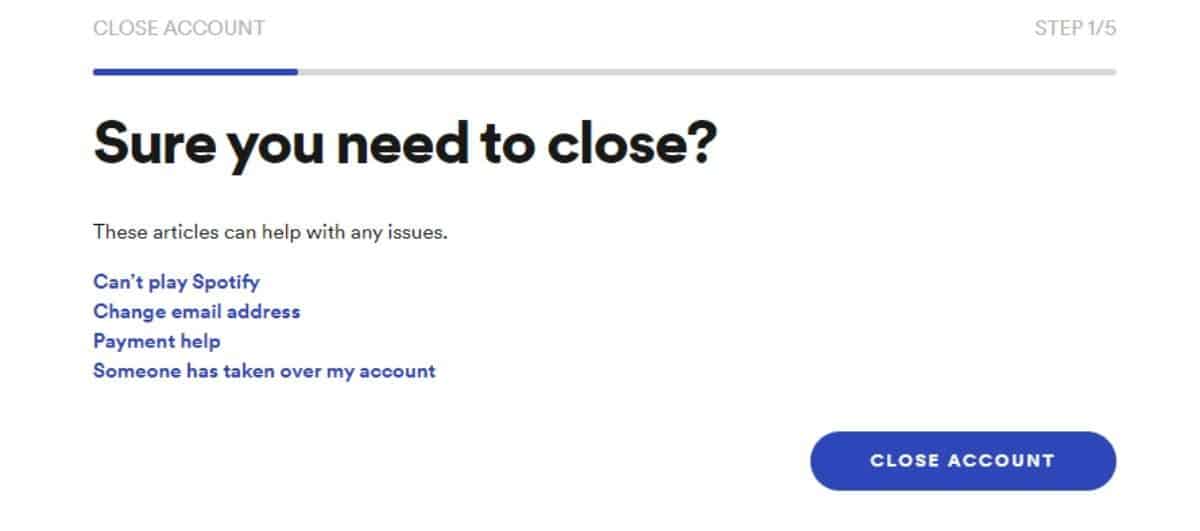
8. Click on the Close Account button once again.
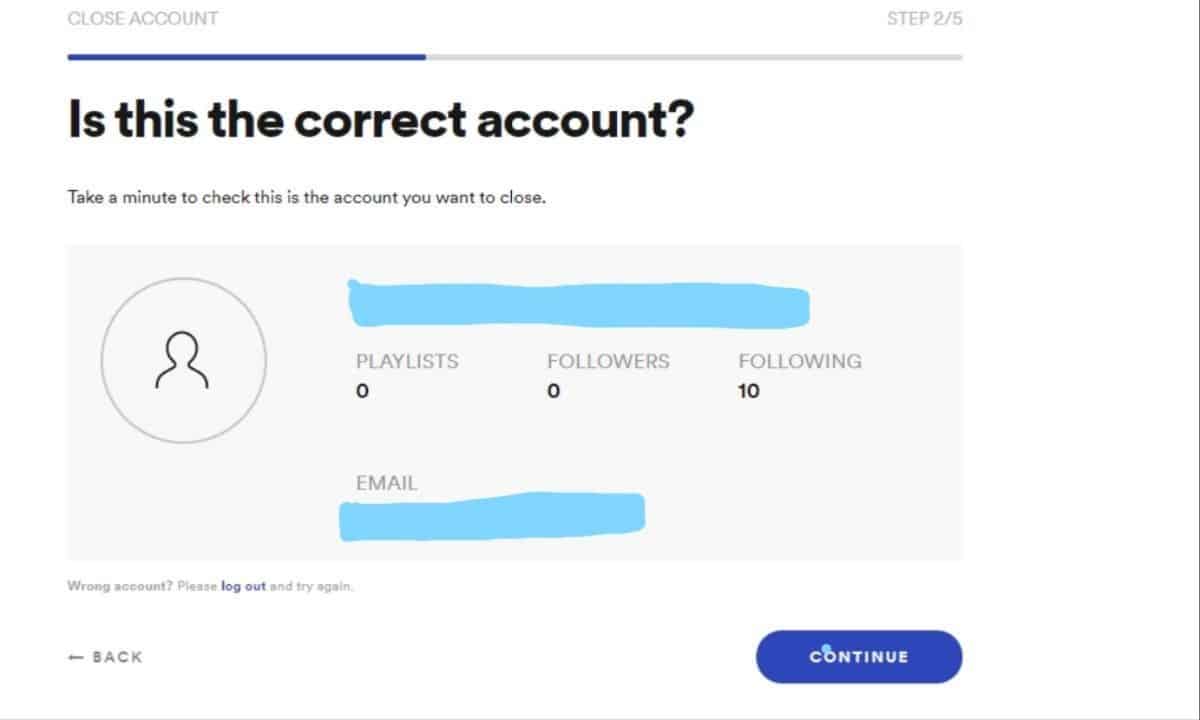
9. Then you will need to confirm which account you want to be deleted. After that’s done click on the Continue button.
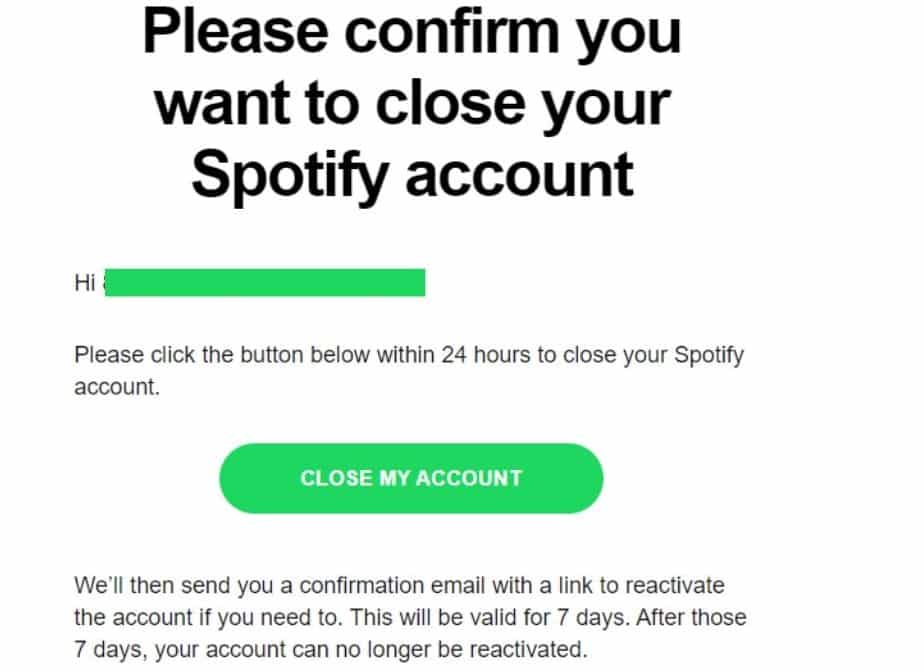
10. A confirmation email will be sent to the registered email address and you need to click on Close my account button in the email and that’s pretty much it.
If You Change Your Mind
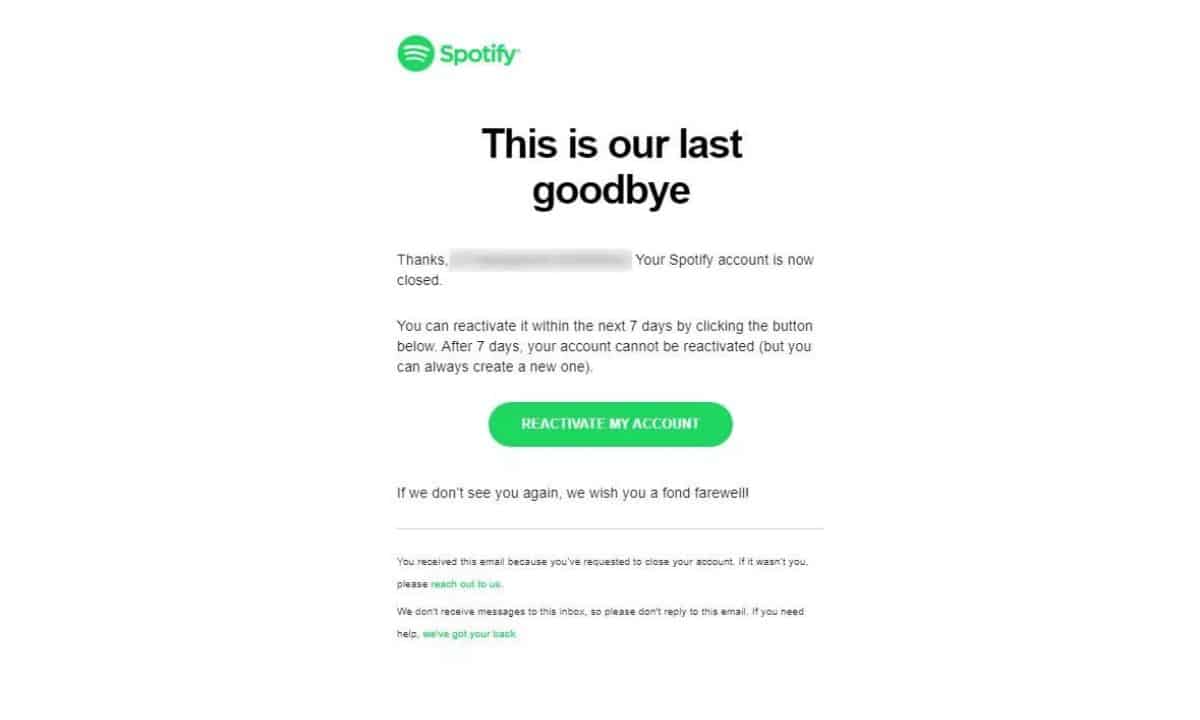
The deletion process is quite lengthy as you’ve already seen but, Spotify still gives you an option to retain your account in Seven days just in case you change your mind. Mind you, if the time period of seven days has passed, it is safe to assume that you’re account is now no more and you cannot retrieve it back.
So, this is how to delete Spotify account in a quick way. Let us know if you could delete your Spotify account in the comment section below. Also, if you have any queries, do reach out to us on social media.
Got some time? Let’s see how you perform in this simple quiz!