




Instagram in a matter of half-decade has grown its active user-base from 40 million to 500 million. Well, Instagram is getting better and better with regular new updates but if you think that Instagram is killing your productivity or annoying you. In other words, if you wish to stop using your Instagram account, here are two methods that will help you.
ALSO READ: Instagram Is Testing Screenshot Alerts For Its Stories
Disable Your Instagram Account
Disabling an Instagram account makes you completely offline from the social media. Once you disable your account, no one can find your profile. In simple words, your account will be hidden from the social media platform until you log in again.
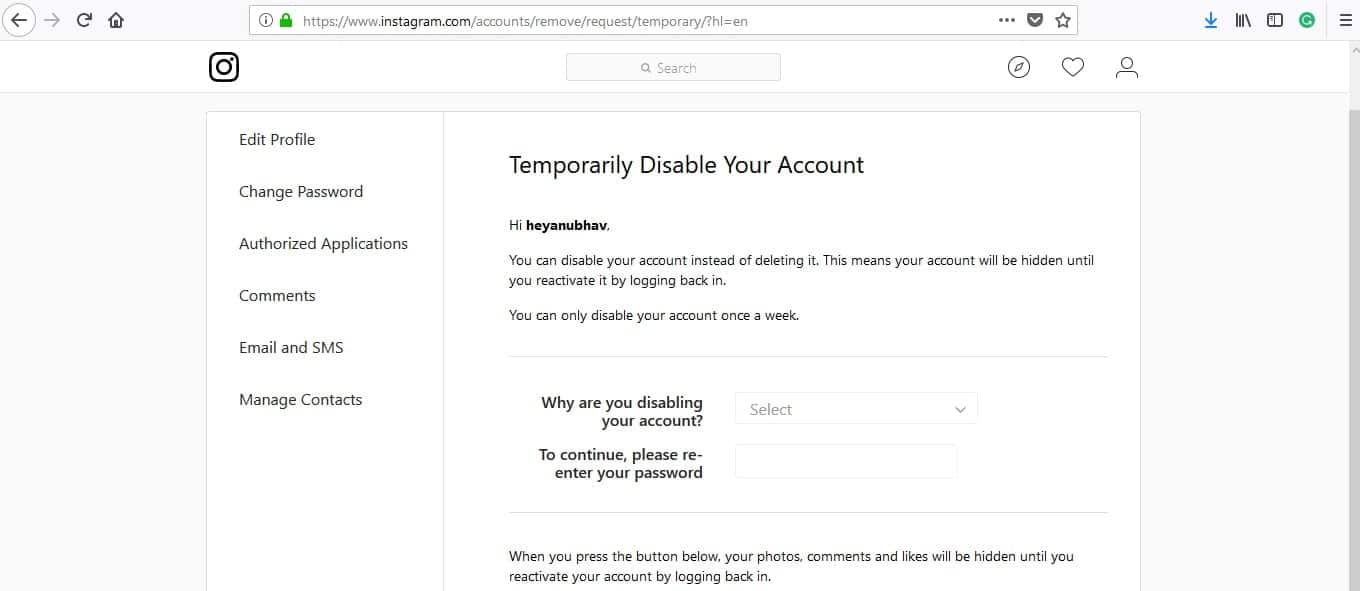
Here’s how to do this;
- Log in to your Instagram account on any browser
- Click on My Account and then Edit Profile
- Under Edit Profile tap on Temporarily disable my account
- Select your reason for disabling your account and re-enter your password.
This will disable your account. You can use this measure to take a break from Instagram and come back whenever you feel like.
ALSO READ: Instagram Tests Resharing, Lets You Share Others’ Posts To Your Story!
Delete Your Instagram Account
Deleting an Instagram account deletes all of your profile including your posts, likes, and comments as well. Once you delete your account there is no way by which you can recover your account. So, be careful while deleting your account.
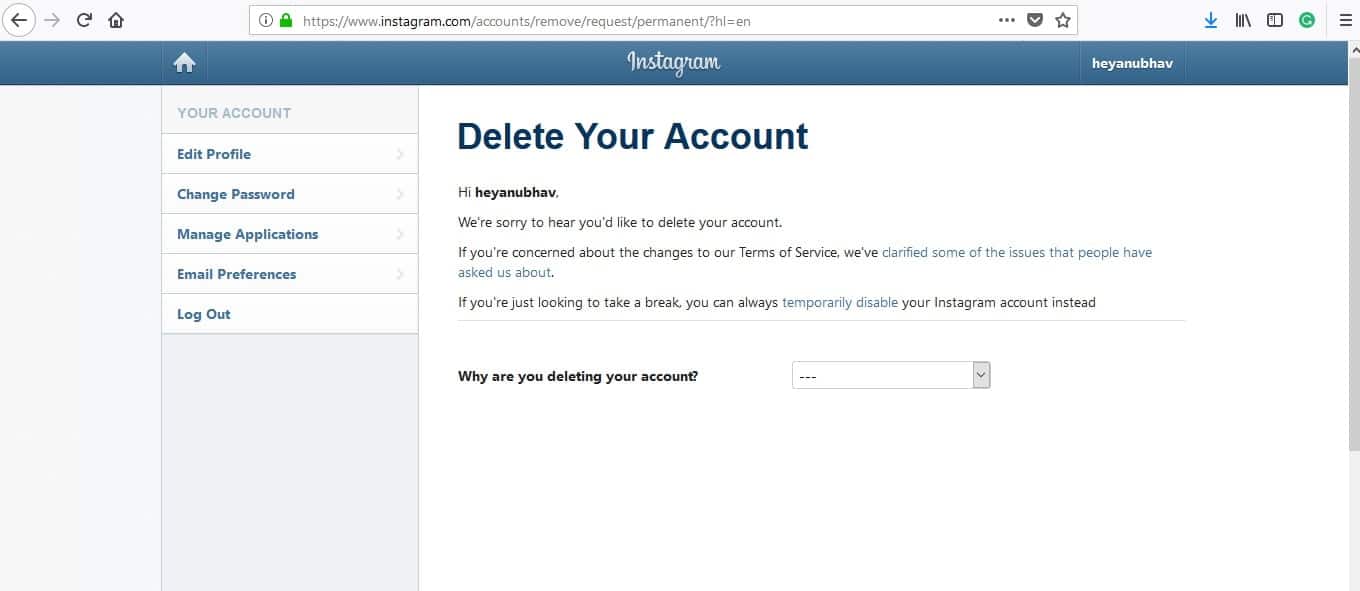
Here’s how to do this;
- Log in to your Instagram account on any browser
- Enter this URL https://www.instagram.com/accounts/remove/request/permanent/
- Select the reason for deleting your account
This will permanently delete your account. So, think twice before you do it. Well, I would personally recommend you to disable your account rather than deleting it permanently, as you can always recover it.
BONUS VIDEO
For the latest tech news, follow TechDipper on Twitter, Facebook, Google+, Instagram and subscribe to our YouTube channel.